Virtual Staging Before and After Gallery

Compare original and staged room pairs. Use the slider to inspect structure, scale, and whether the result is safe to review for a listing workflow.

AI Virtual Staging Transformations

These examples show the kind of original-to-staged comparison every listing image needs. The staged version should help explain the space without hiding fixed details or changing the room's structure.

Honest note: in every pair below the AI result changed fixed finishes or fixtures — floors, wall finishes, cabinets, lighting — as well as furniture. They are review examples for practising what must be rejected or regenerated — disclosure only ever covers generated furniture and decor — not publish-ready proofs.

Review the examples

What to check in each before-and-after pair

These examples show possible staging directions. Results vary by source photo, so use the notes below to judge accuracy before publishing.

Living Room — Modern

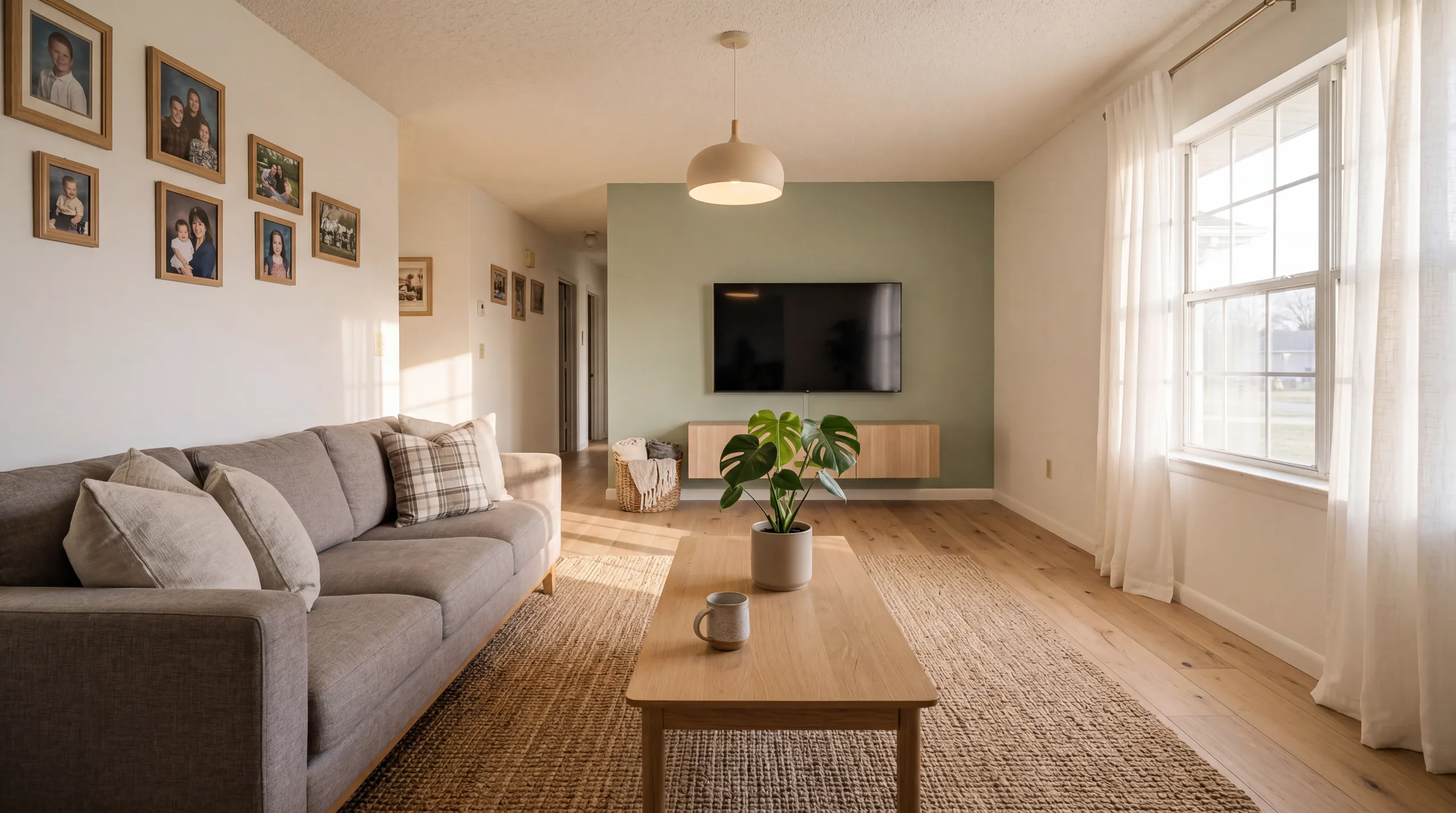
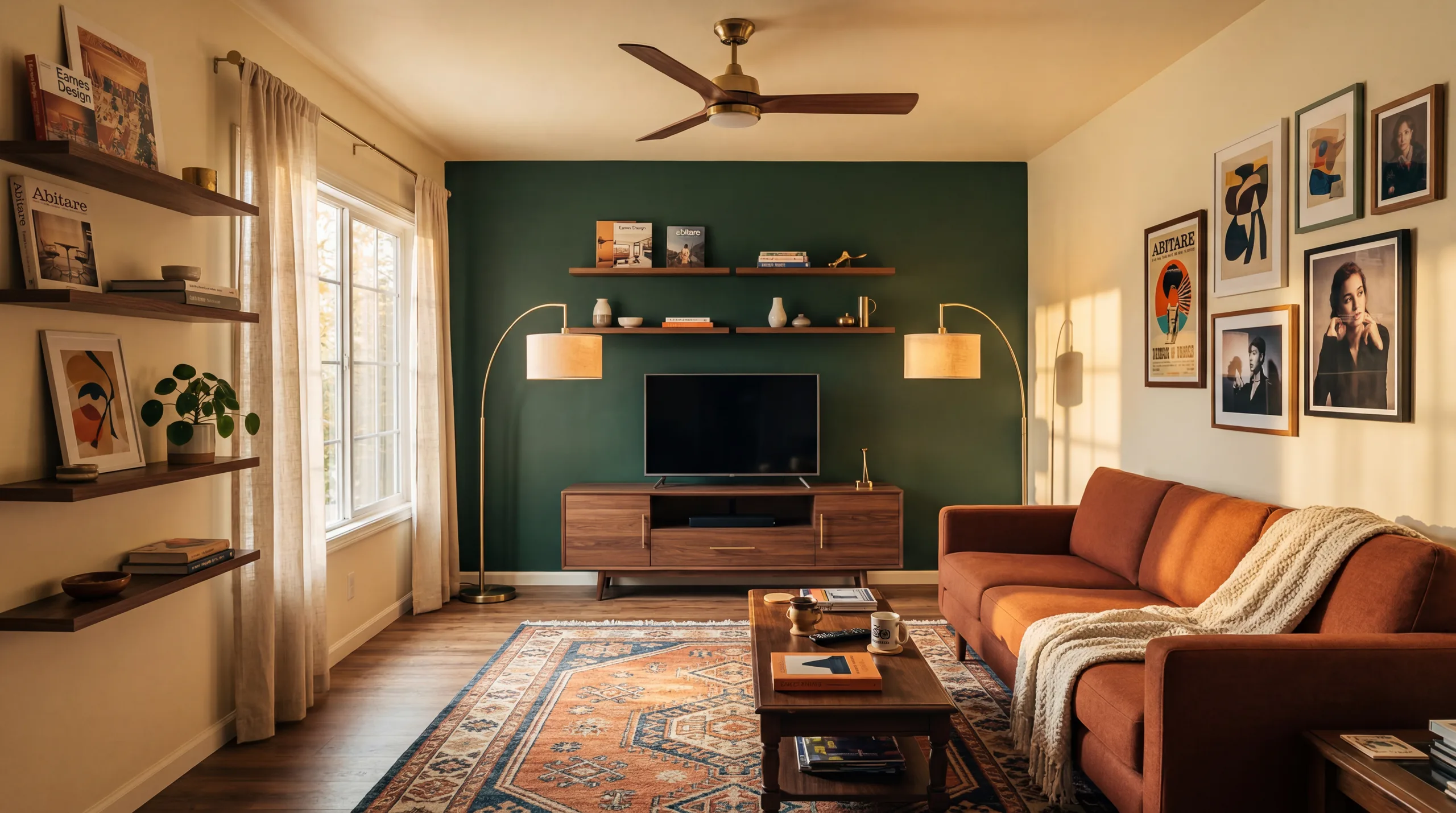
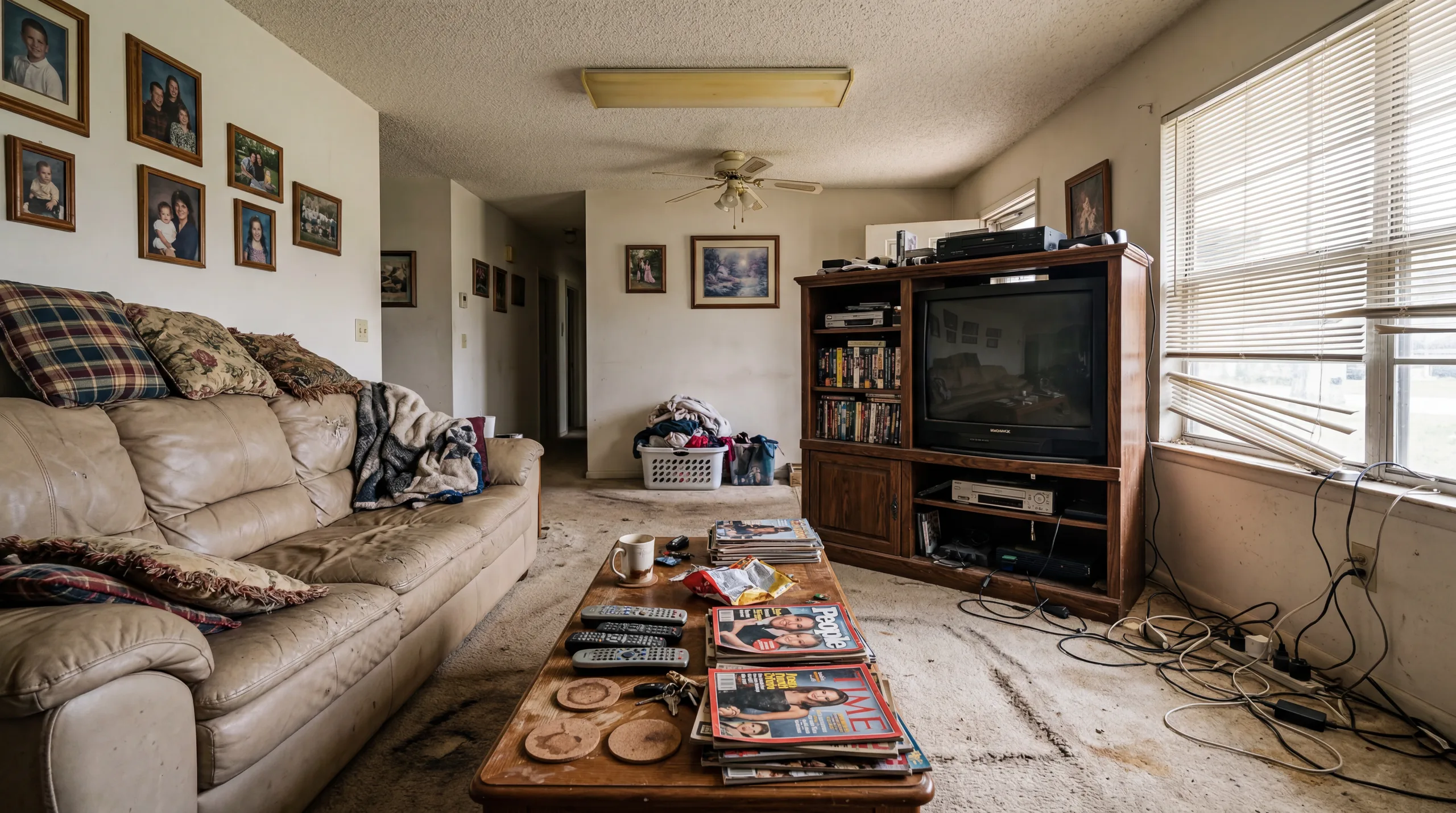
Lived-in living room, restaged — with fixed features changed

Before: original photo of a furnished, lived-in living room with a sofa, TV unit and framed photos
Before
After: AI-restaged living room with new furniture, plus a changed floor, repainted wall and new ceiling light
After

Review note

"The original is a furnished, lived-in room, not a vacant one. Besides replacing the furniture, the AI result also swapped the carpet for wood flooring, repainted the far wall and changed the ceiling light. Those fixed-feature changes fail this site's own review: use the pair to practise spotting them, not as a publish-ready proof."

Bedroom — Scandinavian

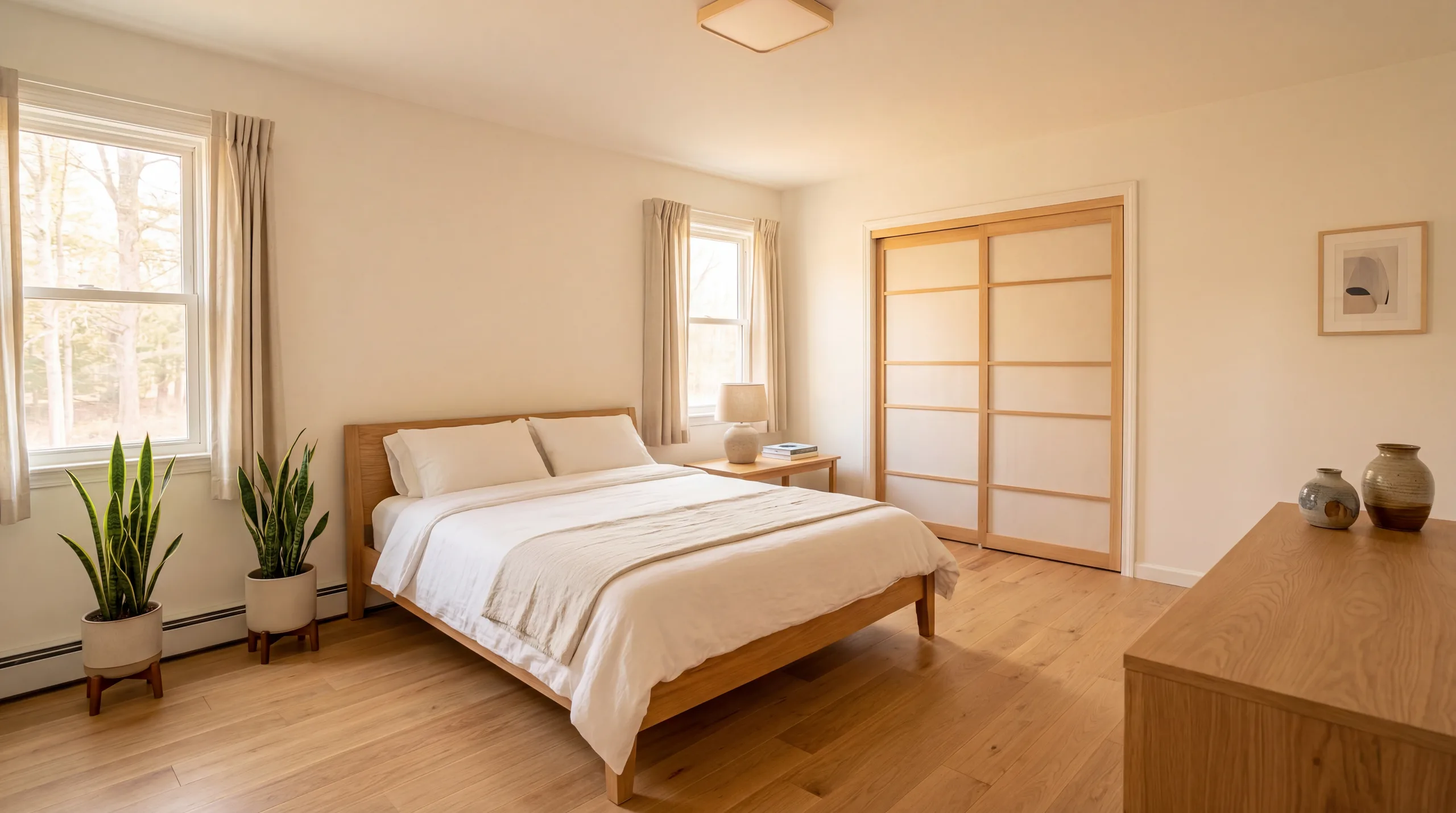
Lived-in bedroom, restaged — wallpaper, floor and closet doors changed

Before: original photo of a lived-in bedroom with a made bed, patterned wallpaper and carpet
Before
After: AI-restaged bedroom with a new bed and curtains, plus removed wallpaper, changed floor and closet doors
After

Review note

"The original bedroom is furnished and in daily use. The AI result replaced the bed and furniture direction, but it also removed the wallpaper, changed the carpet to wood flooring, swapped the closet doors and added curtains. Those are fixed-feature changes that fail review; the room no longer measures honestly against the original."

Kitchen — Contemporary

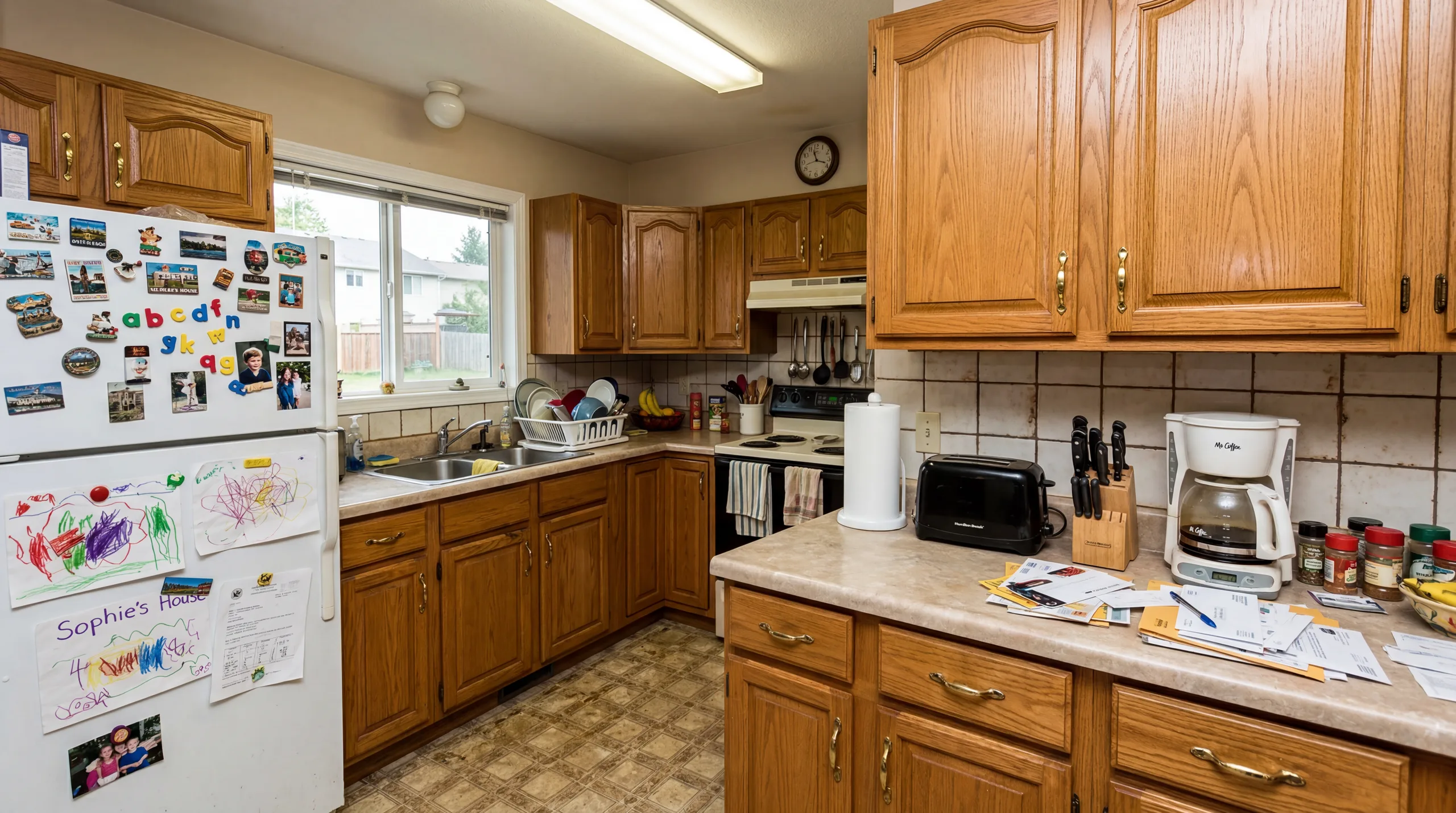
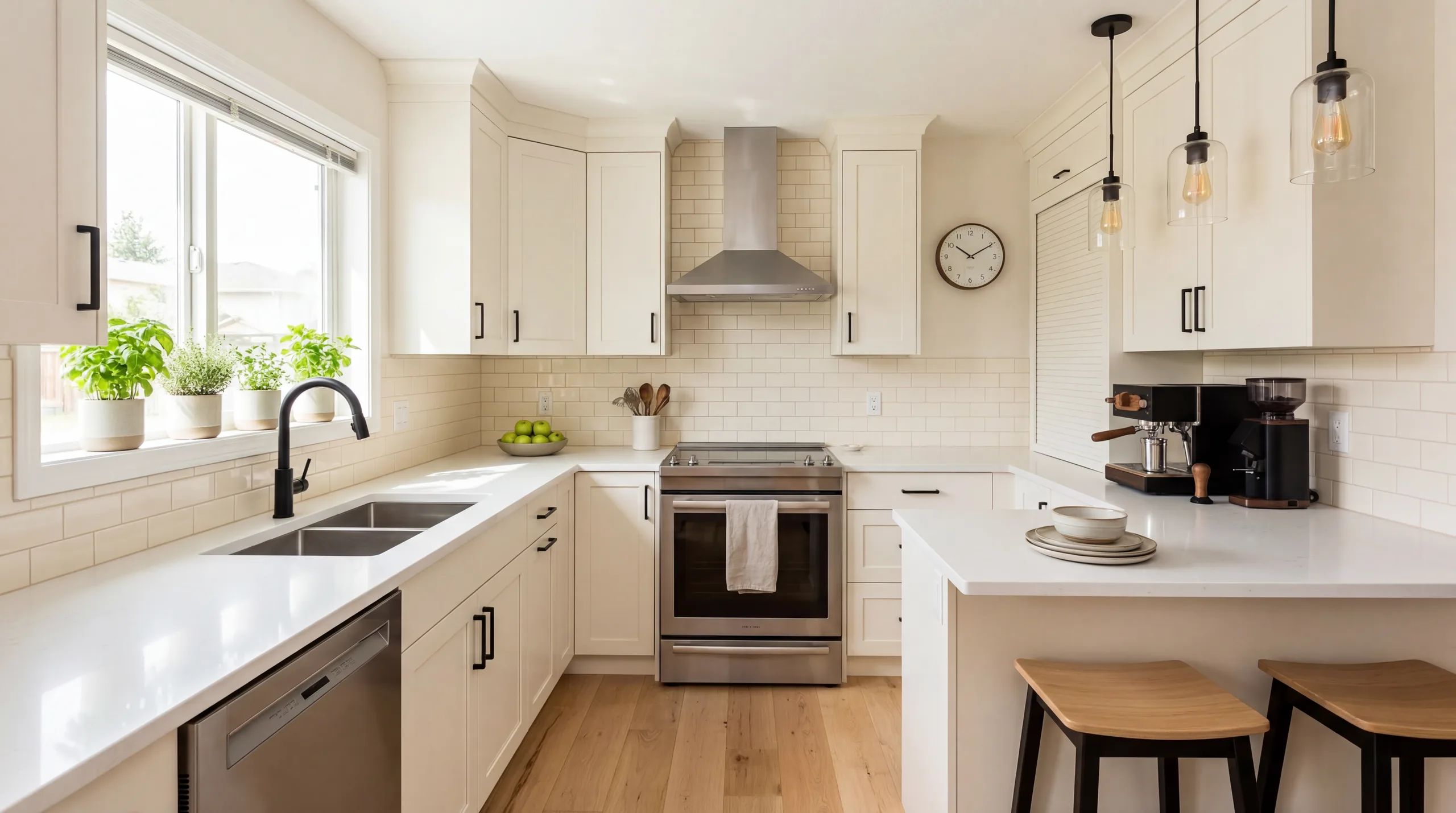
Lived-in kitchen — an example of what kitchen staging must never do

Before: original photo of a lived-in kitchen with personal items on every surface
Before
After: AI-restaged kitchen with replaced cabinets, counters, sink, range, flooring and ceiling lighting
After

Review note

"The original kitchen is in daily use, with personal items on every surface. The AI result replaced the cabinets, counters, sink and faucet, range and hood, flooring and ceiling lighting. Kitchen staging must never imply changed cabinets, appliances, finishes, or fixed lighting, so this result must be rejected and regenerated with the fixed features preserved before anything is used for marketing."

Family Room — Farmhouse

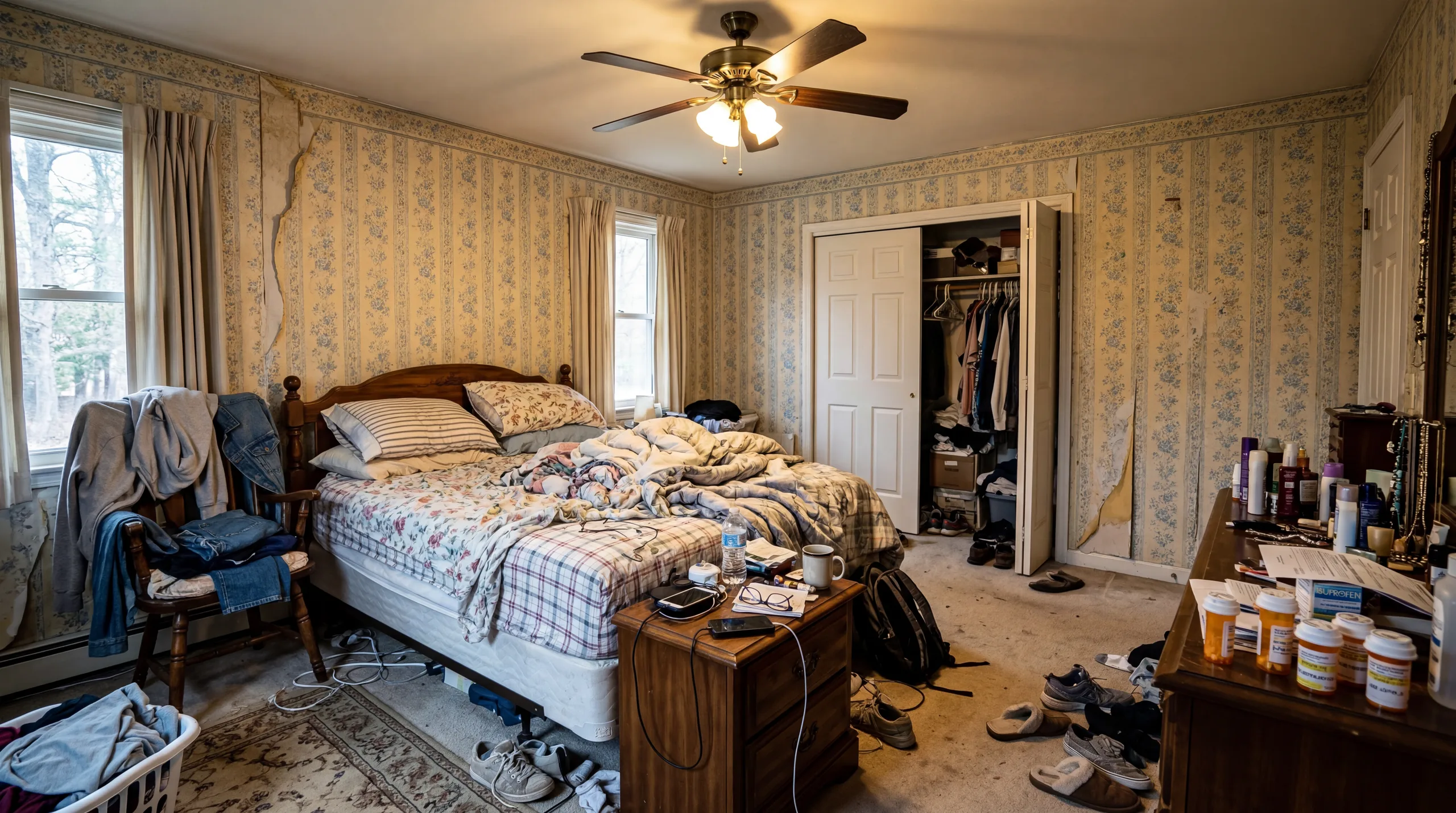
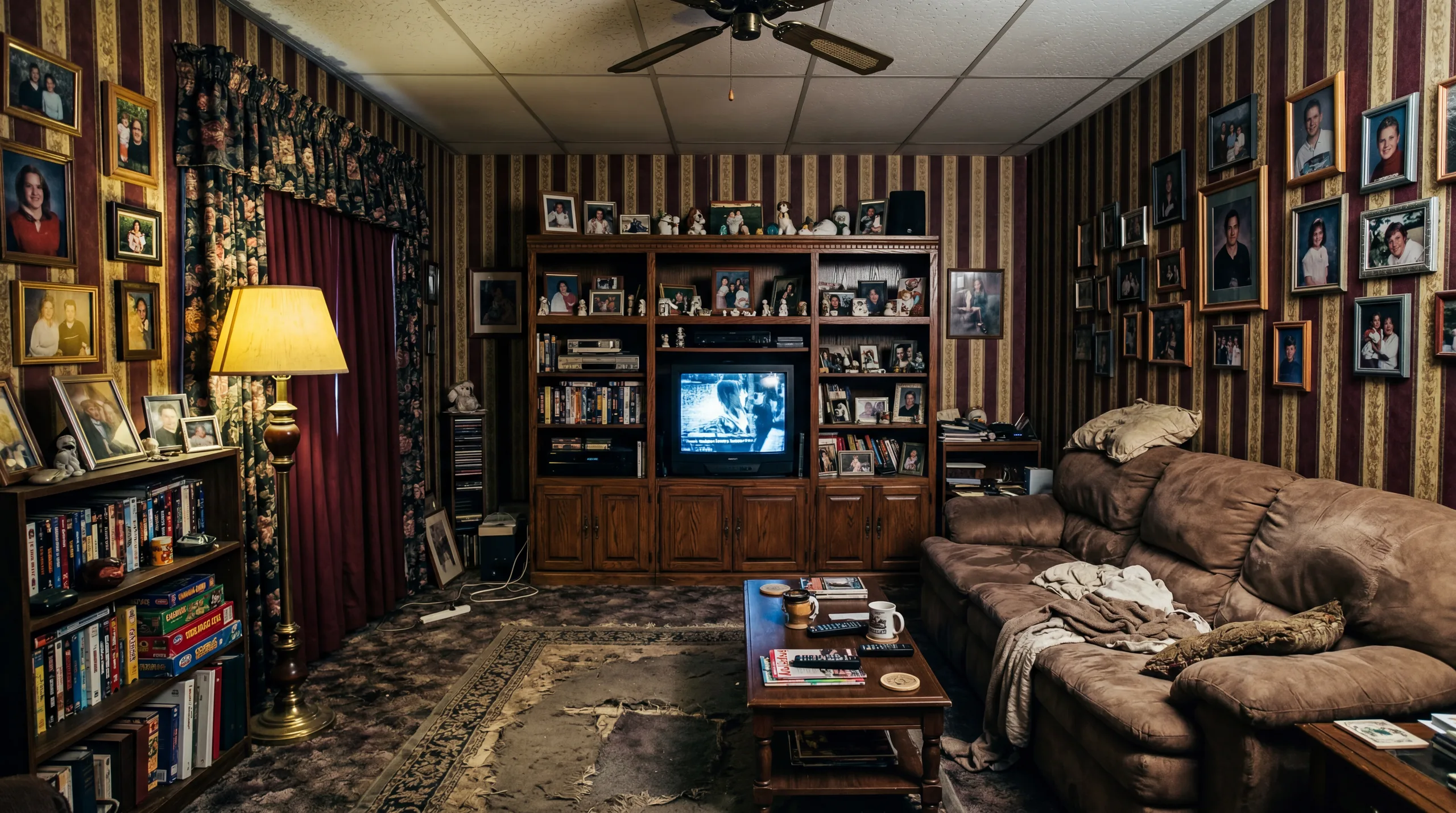
Lived-in family room, restaged — wallpaper, ceiling and floor changed

Before: original photo of a fully furnished family room with wallpaper, carpet and a ceiling fan
Before
After: AI-restaged family room with new furniture, plus removed wallpaper, a changed floor and altered ceiling fan
After

Review note

"The original is a fully furnished family room. The AI result replaced the furniture and decor but also removed the wallpaper, changed the carpet to wood flooring, and altered the ceiling and fan — fixed-feature changes that fail review. Reject this result and regenerate with the wallpaper, ceiling and floor preserved. Family-room staging can clarify use and scale. Check whether furniture placement blocks doors, windows, or circulation before publication."

Understanding Virtual Staging Quality

The before and after examples above are review material. Check wall placement, window frames, flooring direction, ceiling line, built-ins, and visible defects against the original before using a staged output publicly.

A useful proof should place furniture in a way that appears plausible for the photo angle. Still, every output needs review: check door clearance, window placement, floor direction, built-ins, and whether furniture scale changes how the room feels.

Lighting and shadows can vary by source photo. Treat the staged image as a candidate export, not a guarantee. If reflections, shadows, or furniture edges make the image feel misleading, regenerate or keep the original photo in the listing set.

Staging Results by Room Type

Different room types showcase different aspects of AI staging quality. Living rooms demonstrate large-scale furniture placement with sofas, tables, and area rugs. Bedrooms showcase textile rendering including bedding, pillows, and curtains. Kitchens show detailed accessory styling on countertops. Bathrooms demonstrate coordinated small-item placement. Dining rooms show table setting and chandelier integration.

Tips for Best Staging Results

  • Use well-lit photos with natural daylight for the most inviting staging results
  • Photograph from corners or doorways to capture maximum floor space
  • Remove all personal items, boxes, and clutter before photographing
  • Use landscape orientation, as listing platforms are optimized for landscape images
  • Try multiple styles on the same room to find the one that best suits the property
  • Use HD (4K) quality for hero listing photos and Standard quality for supplementary angles

Staging Results by Style

Each of our 12 design styles gives a different proof direction. Modern is restrained and easy to review. Scandinavian adds warmth with light wood. Farmhouse works best when the home already supports that character. Browse our style guide to choose a staging direction that fits the room without overstating it.
Frequently Asked Questions

Are these before and after examples real?

The examples show original room photos paired with AI-generated staged versions. The originals on this page are furnished, lived-in rooms. The AI results replaced the furniture and, in every pair, also altered fixed finishes or fixtures (floors, wall finishes, cabinets, lighting) — changes this site's review rules do not allow in a published listing image. Treat them as examples of what to catch. Use them as proof examples, then apply the same original-to-staged review to your own images before publication.

How can I get results like these?

Upload a clear room photo (empty or lightly furnished), select a style, create a proof, and compare the staged result against the original. For best results, use well-lit photos taken from a corner or doorway in landscape orientation.

Can I stage my room in different styles?

Yes. Upload one photo and generate multiple style variations as proofs. Use the versions to compare direction, then export only the result that preserves scale, fixed features, and disclosure needs.

What quality levels are available?

VirtualStagingAI offers three quality levels: Preview (1 credit, lower resolution with watermark), Standard (3 credits, 2K resolution, no watermark), and HD (5 credits, higher-resolution export). Choose quality after the staged proof passes original-to-staged review.

Create Your Own Before & After

Upload an empty room photo, create a staging proof, and compare it with the original before export. Start with 5 free credits, no credit card required.

Start Virtual Staging Free

Check Every Staged Image Against the Real Room

Keep the original photo beside every AI-staged version. Confirm that the room still matches the property, then label generated furniture or decor when your brokerage, MLS, portal, or rental platform requires it.

Clear source photos matter. Use a level, well-lit view with visible floor, walls, doors, windows, and fixed features so the model has enough information to judge scale.

Before You Publish

  • Structure: doors, windows, built-ins, counters, flooring, and views still match the original.
  • Scale: furniture does not block circulation, exaggerate room size, or cover fixed features.
  • Condition: the staged image does not hide damage, unfinished work, or material defects.
  • Disclosure: the image can be labeled clearly where your listing workflow requires it.

Best fit

Empty or lightly furnished rooms where buyers need help understanding scale, layout, and possible furniture direction.

Use with care

Bathrooms, mirrors, kitchens, luxury finishes, and rental listings need closer review because small inaccuracies can change buyer or guest expectations.

Poor fit

Dark, cluttered, distorted, damaged, or misleading photos where a generated result would make the property look materially different from reality.